
OAuth
For this type of authentication, where a fixed token is not available, Monkey will make calls to your Authorization Server for each webhook to be sent. The flow is as follows:
-
Monkey will make a POST request to your Authorization Server URL, transmitting the data configured during the webhook creation:
client_id,client_secret, andcustom_parameters.Use
custom_parameterswhen it is necessary to configuregrant_type,scope, and others. -
Monkey expects a return payload containing the access_token and token_type data. An example of the expected JSON is:
{
   "access_token":"eyJhbGciOiJSUzI1NiIsInR5cCI6IkpXVCIsImtpZCI6IlJnZzZ0VlB3",
   "token_type":"Bearer"
}
Any other value returned in the payload will be ignored. If
token_typeis not returned, we will default to theBearertype. -
Monkey will call the webhook API, sending the Authorization header or the value defined in the Authorization Token field. The token returned from the call to the Authorization Server and the token type returned by the Authorization Server will be sent as values in this header. Here is an example:
Example Header:
Authorization: Bearer eyJhbGciOiJSUzI1NiIsInR5cCI6IkpXVCIsImtpZCI6IlJnZzZ0VlB3If the token type is not explicitly returned by the Authorization Server, we will default to the
Bearertype.
Configuration
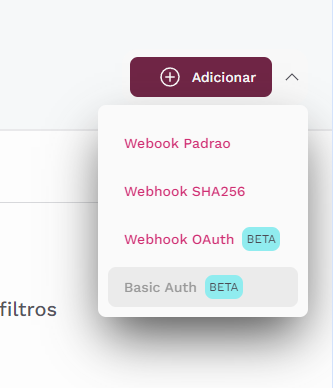
To configure a webhook, go to Settings -> Webhooks -> Configure, select the OAuth Webhook option, and fill in all the required information..
Fill in your information as shown in the example below:
Updated over 1 year ago